Important notice:
Google Play evaluates multiple factors, including your account country, device settings, network, account history, and age.
Even if the app is officially available in the Czech Republic, some users may see an error message that is misleading and does not reflect the actual issue.
If this message appears when downloading the Littlebit app from Google Play, it does not mean the app is unavailable in the Czech Republic. It usually means that Google Play is identifying your account or device as being located outside the Czech Republic. This most commonly happens for one of the following reasons:
- a VPN is enabled
- The country setting in your Google account or on your phone is set outside the Czech Republic
How to fix the issue:
- First, check your VPN:
- If you have a VPN enabled, turn it off and try downloading the app again. Once the VPN is disabled, the app should become available.
- Pokud VPN zapnutou nemáte, projděte prosím následující kroky.
- Check your Google account details
- Open Gmail
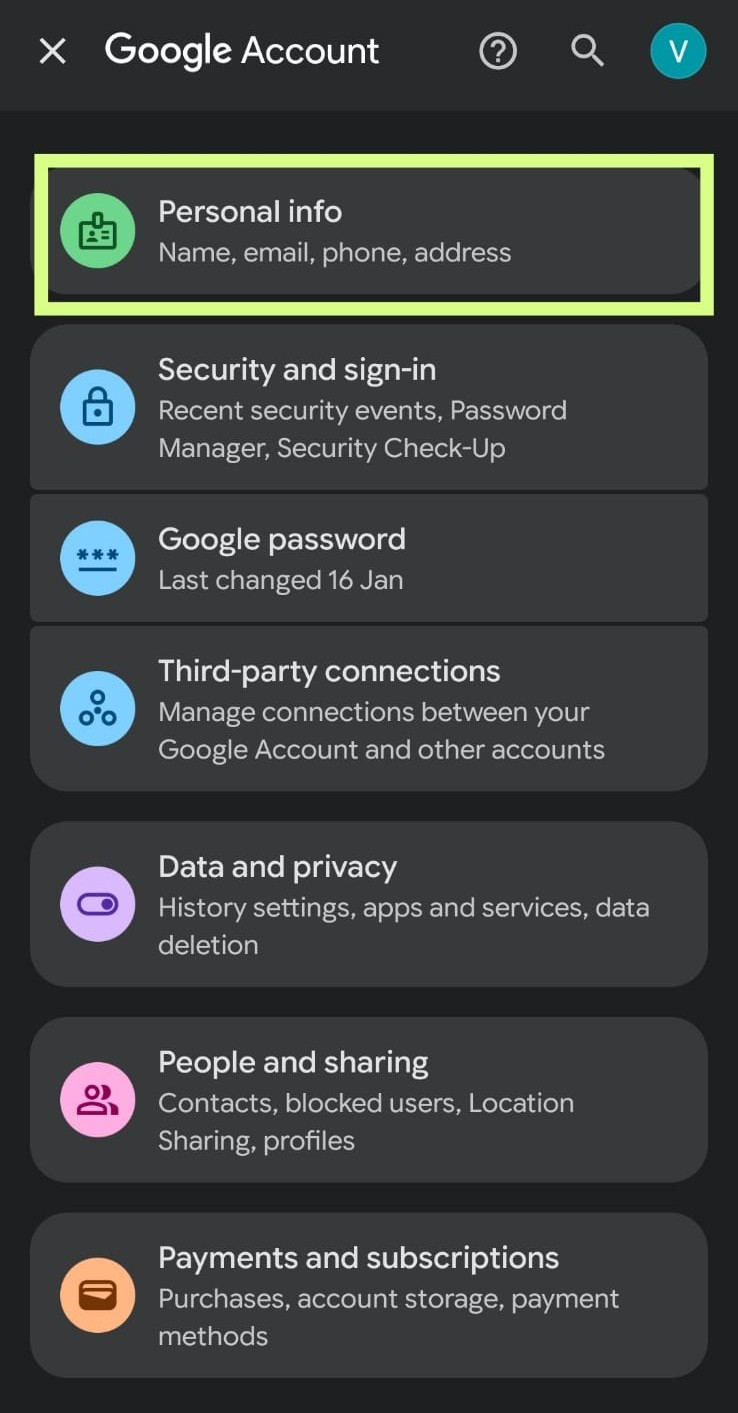
- Click on your profile picture → Manage your Google Account
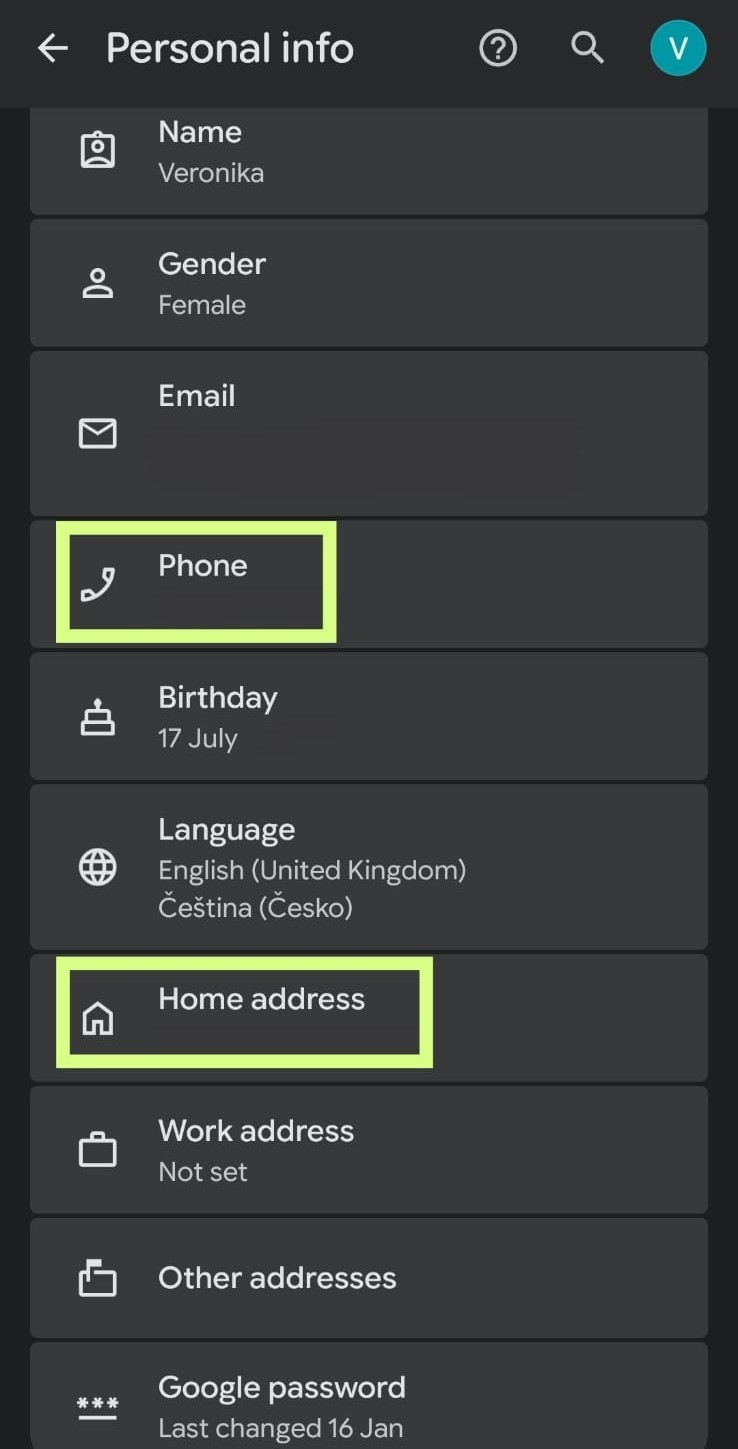
- Open the Personal info section
- Make sure your phone number and address are set to the Czech Republic
- Check the country in your Google Pay account:
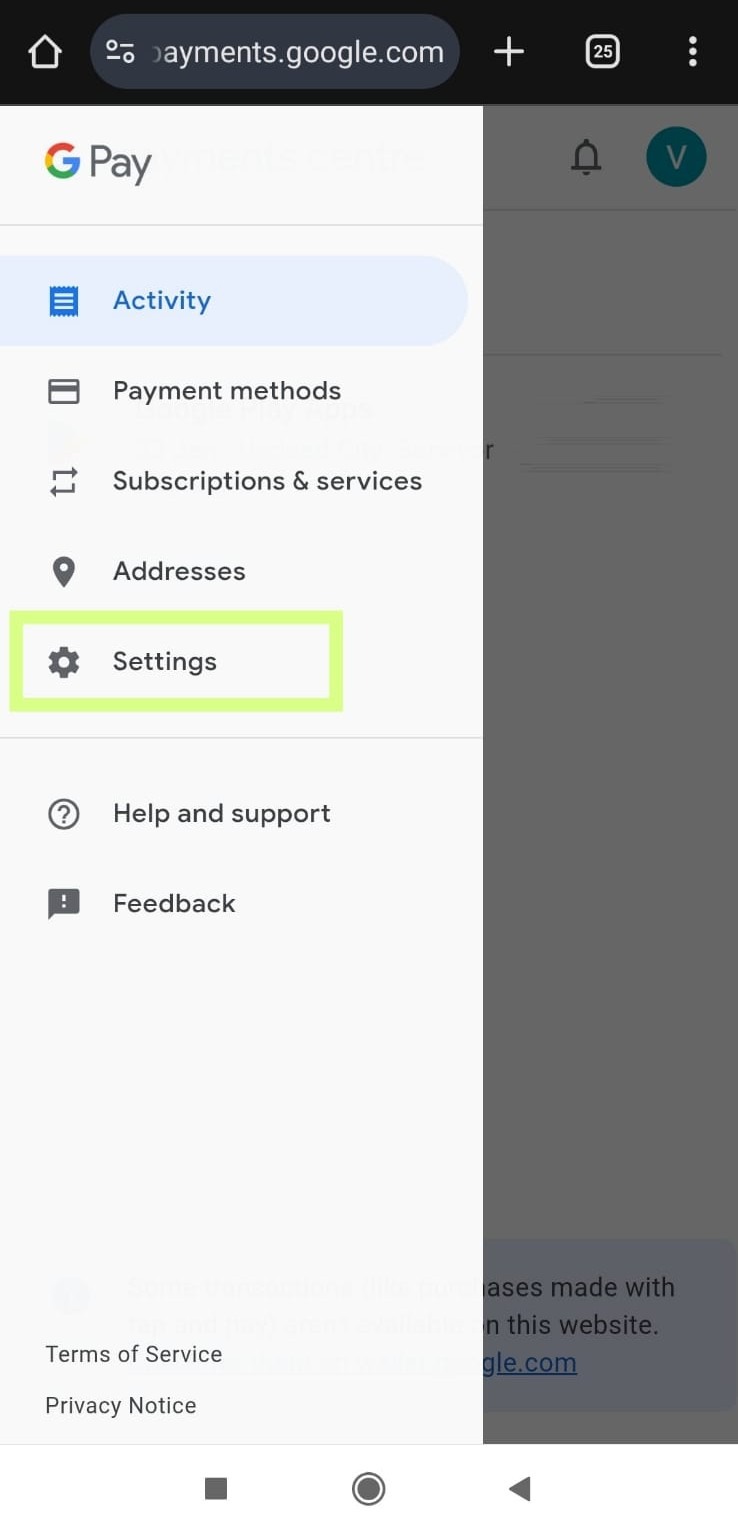
- Go to payments.google.com
- Open Settings
- In the Country and profiles section, make sure the country is set to the Czech Republic
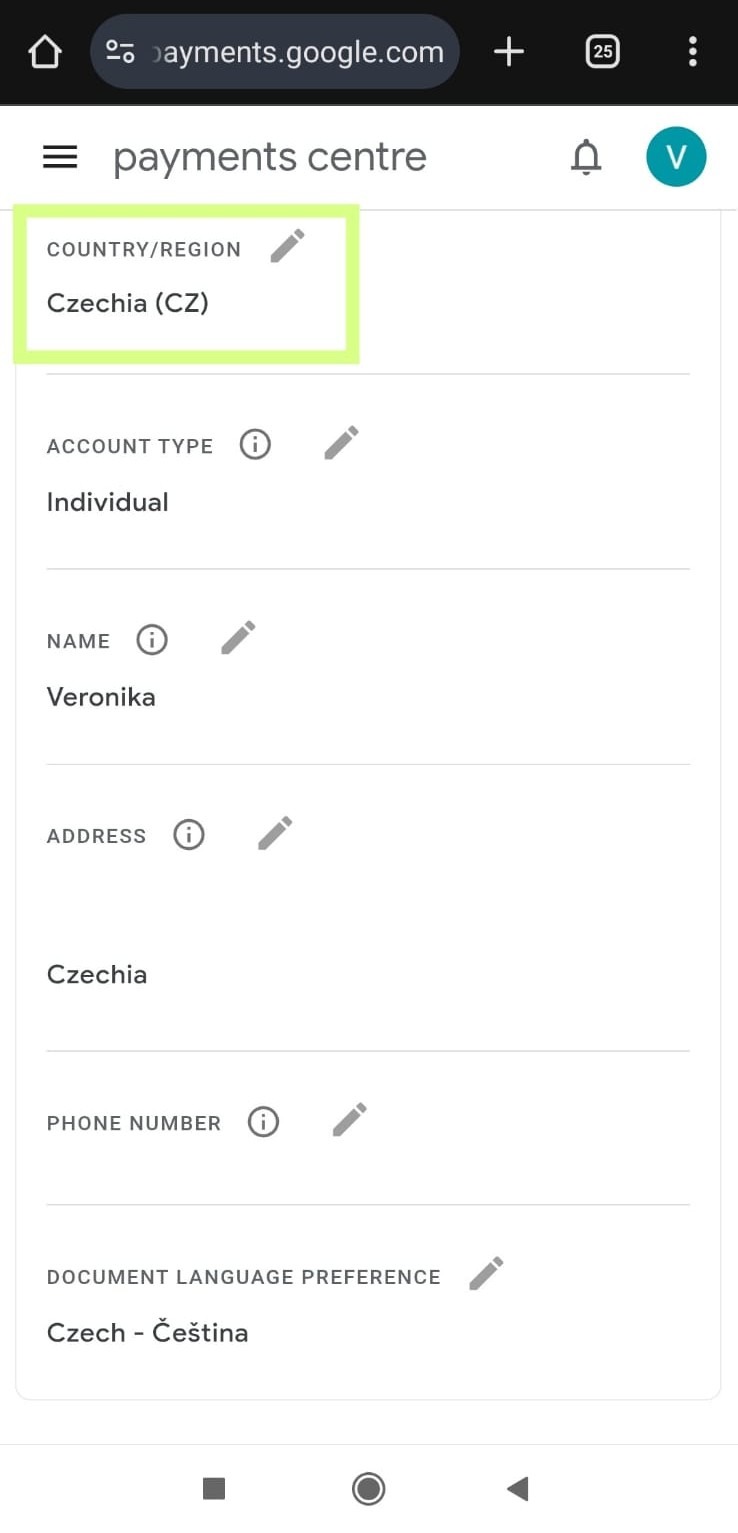
- If the Czech Republic is not listed, create a new payment profile for the Czech Republic and add a local payment method
- Clear Google Play Store data and cache:
- On your phone, go to Settings → Apps → Google Play Store → Storage
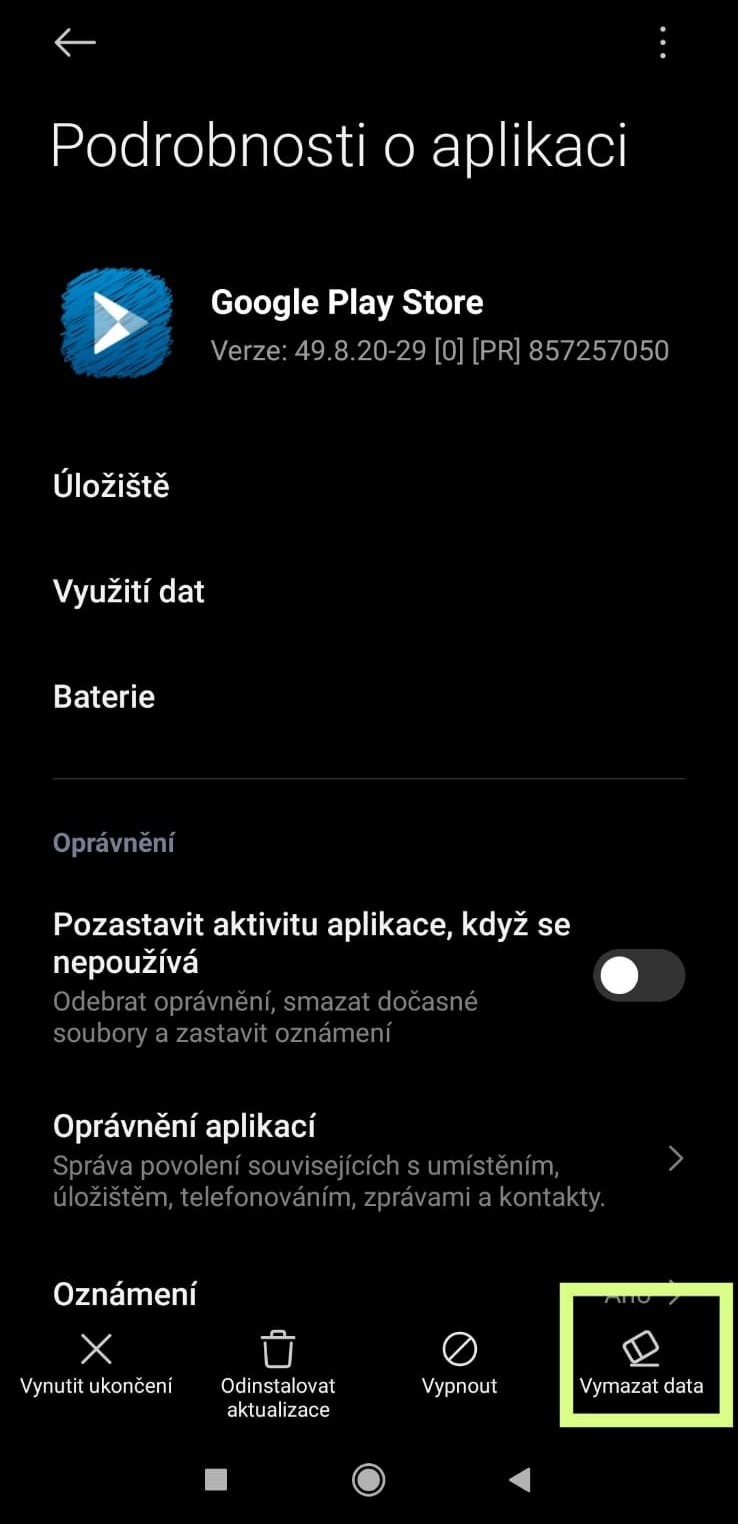
- Select Clear data and Clear cache
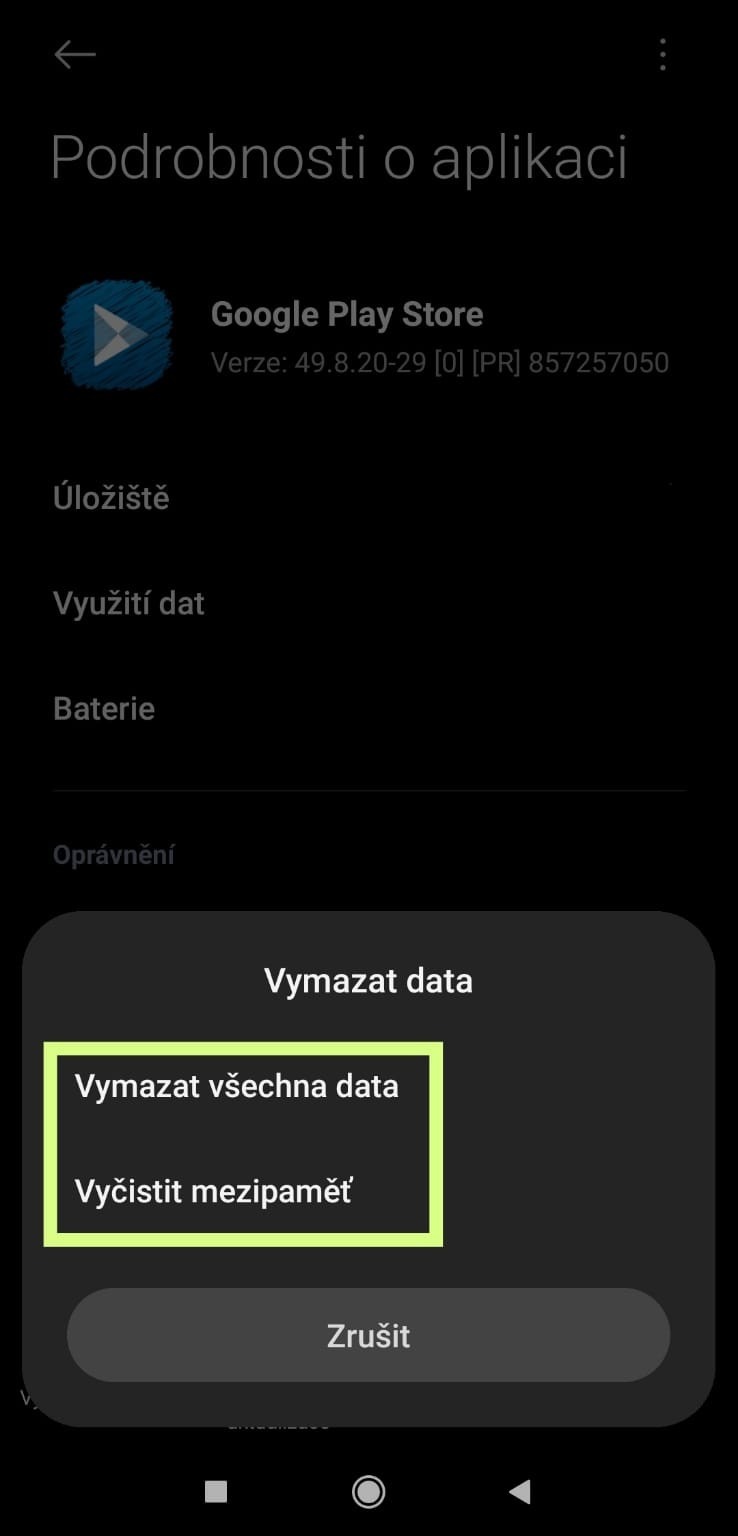
- Reopen Google Play and try searching for the app again
- On your phone, go to Settings → Apps → Google Play Store → Storage
- Check your device settings and make sure you have:
- A SIM card from a Czech mobile operator
- The region set to the Czech Republic
- You can usually find this under: Settings → System → Language & region → Region
Note: Changing the country in your Google account may not take effect immediately. In some cases, it can take several hours for the new settings to fully sync with Google Play services.
6. Try opening Google Play via a web browser:
- Open the Littlebit app page on Google Play in your web browser
- If the message does not appear there, the issue is almost certainly related to your phone settings or the Google Play cache
7. Additional steps you can try:
- Sign out of your Google account on your phone and sign back in
- Restart your device
- Make sure you are not using a work or school Google account, which may have restricted access to certain apps
If you are still unable to download the app after completing these steps, please contact us via the form below and include:
Your phone model (e.g. iPhone 14, Samsung S23),
Your operating system version (Android 12 / iOS 18),
We will review your case and try to find a solution.
If the error message changes to “This item is not available” (without mentioning the country), please follow the instructions here: Google Play: "This item is not available"